

Home | Solutions | Intelligent Workspaces | Access Control
Access Control
Convenient entry
Use authorised NFC tags or personal codes to access designated entrances.
Flexible permissions
Assign access around staff responsibilities, working hours and specific areas.
Visitor access
Provide temporary permissions or greet visitors through a connected intercom.
Simple management
Update permissions and revoke lost credentials through authorised controls.
Connected arrivals
Coordinate approved entry with lighting and configured building routines.
Access Control
How can staff enter the building?
Depending on the installation, staff can use compatible NFC tags, key fobs or personal codes. Authorised users can also operate connected entrances through the Loxone App.
Can different people have different access permissions?
Yes. Access can be configured around individuals, groups, designated entrances and schedules. DY-Techniek plans the permissions around how your business uses the building.
Can visitors or contractors receive temporary access?
Yes. Suitable credentials can be given a defined validity period. One-time codes or scheduled access can also support deliveries, maintenance visits and cleaning arrangements.
What happens if someone loses their access tag?
An authorised administrator can revoke the credential and issue a replacement. Any other credentials assigned to that person can be reviewed at the same time.
Can we see and speak to visitors before opening the door?
Yes. A connected Loxone Intercom provides video and two-way communication through the app. Authorised users can then release a compatible entrance. Remote use requires a working connection and the appropriate setup.
Can existing doors, locks and gates be integrated?
Possibly. Compatibility depends on the door hardware, locking mechanism, controller and available connections. DY-Techniek assesses each entrance to determine the appropriate integration approach.
What happens during a power failure?
Operation depends on the installed locking hardware, power supplies and any backup provision. DY-Techniek plans power-loss behaviour and emergency exit arrangements as part of the overall door installation.
Access designed around your business
A workplace welcomes different people for different reasons.
Staff need convenient everyday entry. Visitors need a clear arrival process. Contractors may require access to specific areas for a limited time.
DY-Techniek combines suitable entry hardware, user permissions and Loxone automation to support these needs. Access becomes easier to manage as teams, schedules and responsibilities change.
Intelligence behind every entrance
The right permissions at the right time.
An access system considers more than whether a credential is recognised.
Configured permissions determine which entrance can be operated, when access is available and whether an approved action should trigger other building functions.
Loxone brings these decisions together with compatible readers, locks and entrance controls.
- Recognise authorised tags and personal codes.
- Apply access schedules and validity periods.
- Control designated entrances through configured permissions.
- Allow authorised administrators to update credentials.
- Coordinate approved access with selected building routines.
A simpler start to the working day.
Staff access
Everyday entry should be straightforward for the people who use your workplace.
Individual credentials allow staff to operate designated entrances without sharing a single building code. Access can reflect working patterns and the areas each person needs to use.
When responsibilities change or someone leaves the business, permissions can be updated accordingly.
Individual credentials
Assign supported tags or codes to members of your team.
Appropriate permissions
Configure access around designated entrances and and staff responsibilities.
Working schedules
Allow entry during agreed hours, with flexibility for authorised exceptions.
Easy updates
Change or revoke permissions as your team’s requirements evolve.
A welcome with clear boundaries.
Visitors and contractors
Visitors don’t always need the same access as permanent staff.
A connected intercom allows authorised team members to see and speak to someone at the entrance before admitting them. For expected visitors or recurring service providers, temporary credentials can support an agreed access arrangement.
The approach can be tailored to reception coverage, delivery procedures and the layout of your premises.
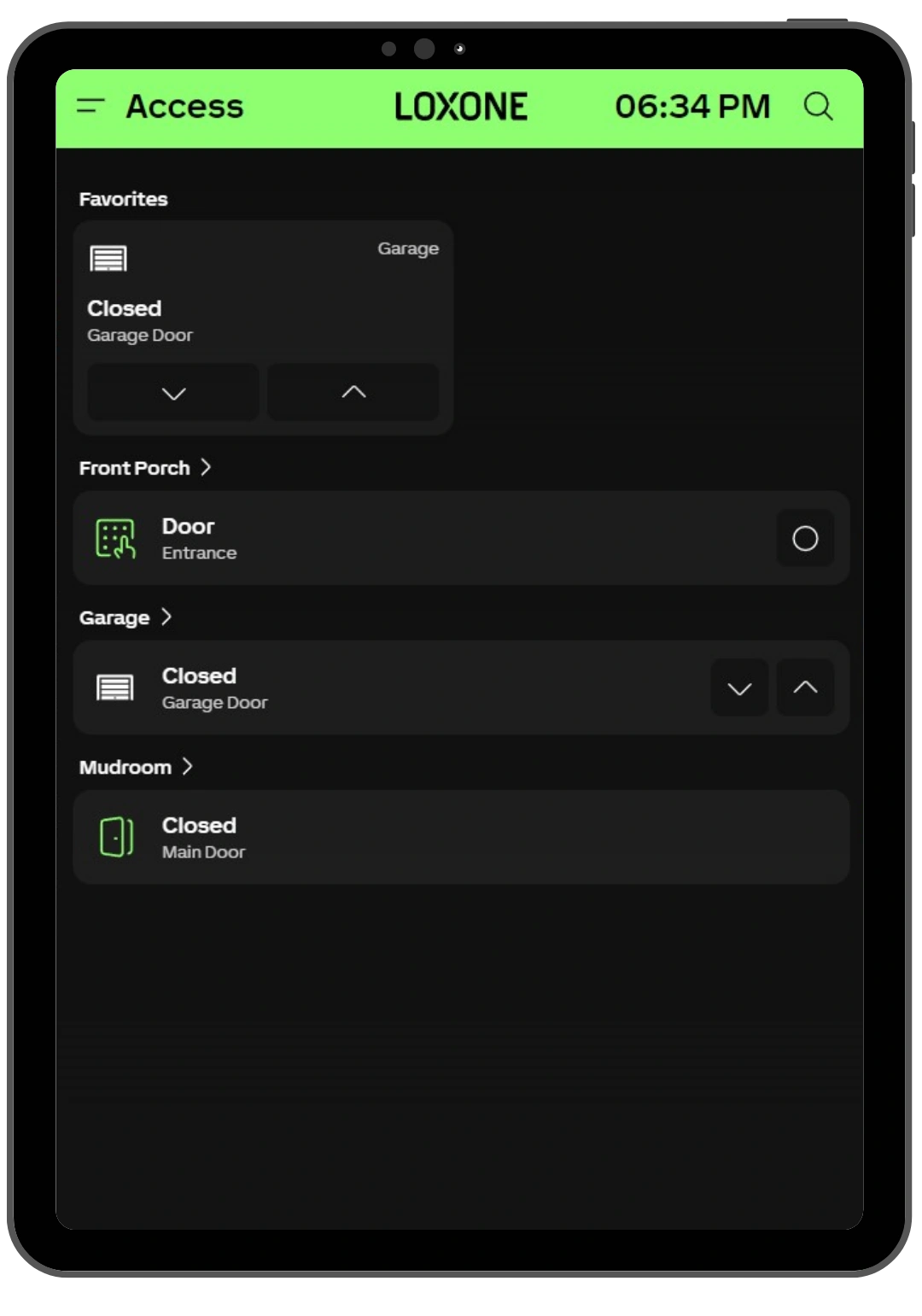
Visitor communication
Speak to arrivals through a connected video intercom.
Temporary permissions
Provide access that expires at a defined date and time.
Scheduled services
Allow cleaners or contractors entry during agreed periods.
Controlled admission
Release a designated entrance through authorised controls.
Different spaces. Different permissions.
Access across your premises
A main entrance, staff area and equipment room serve different purposes.
Access control can be planned around these distinctions, using suitable hardware and configuration at each controlled entrance. Staff can receive the permissions they need, while sensitive areas remain limited to authorised users.
The same approach can include compatible gates or other external access points.
Main entrances
Manage everyday arrival for staff and approved visitors.
Staff-only areas
Limit access to selected internal spaces.
Restricted rooms
Apply specific permissions to areas containing equipment, stock or sensitive materials.
External access
Integrate suitable gates and entrance controllers where supported.
Permissions are planned around how people move through your workplace.
Access works with the building
An approved arrival can do more than open a door.
When access forms part of the wider automation system, a configured entry action can prepare selected building functions.
These routines can reflect the entrance used, the person’s permissions and the time of day.
An authorised early arrival…
Access
Releases the designated entrance after checking the credential and schedule.
Lighting
Activates the configured arrival scene in selected areas.
Building routine
Applies an approved opening mode where that user has permission to do so.
Entry and building operation follow one coordinated process.
Technology working behind the scenes.
Access control technology
Reliable access starts with the entrance itself.
DY-Techniek considers door construction, locking hardware, user requirements and daily operating procedures to plan a practical installation.
NFC Code Touch
Provides entry using supported NFC credentials or numeric codes.
Intercom
Allows authorised users to see and speak to visitors before granting access.
Locking and entrance hardware
Operates compatible door releases, locks or gate controllers.
Door contacts
Provide open or closed status where installed; lock-status monitoring requires suitable additional feedback.
Miniserver
Coordinates credentials, permissions, schedules and connected building actions.
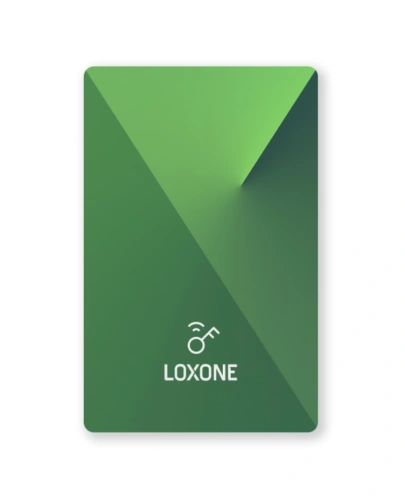
Encrypted NFC Smart Cards
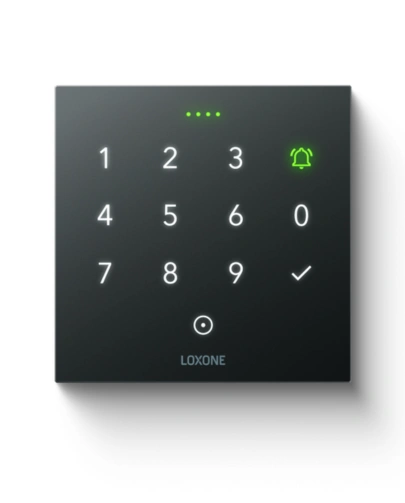
NFC Code Touch Tree Anthracite
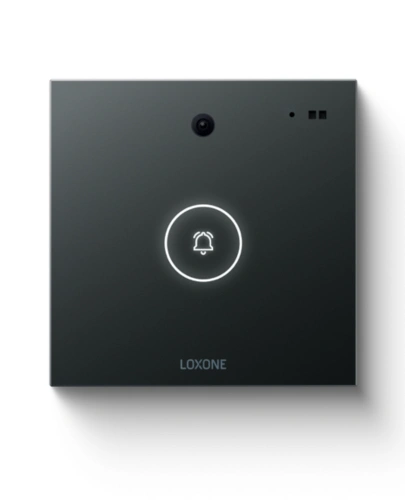
Intercom Anthracite
Compatibility
Access control that fits your premises.
Different entrances require different hardware.
Loxone can work with suitable electric locks, door releases and gate controllers through supported connections. Existing equipment may be retained where it meets the project’s functional requirements.
DY-Techniek assesses the complete entrance arrangement, including access readers, door hardware, power provision and exit operation, to determine the appropriate solution.
Intelligent Workspaces

Climate Control
Security Automation

Energy Optimisation

Commercial Lighting

Office Automation
Welcome people. Manage access with confidence.
Intelligent entry, designed
around your workplace.
Make everyday access easier for your team while keeping clear control over visitor permissions, restricted areas and entry outside working hours. Bring credentials, schedules and connected entrance controls together in one coordinated system.