
Home | Solutions | Intelligent Workspaces | Security Automation
Security Automation
Intelligent detection
Monitor selected doors, windows and internal areas using connected sensors.
Coordinated response
Activate lighting, audio and compatible alarm equipment when an incident is detected.
Immediate alerts
Notify authorised users when configured security events require attention.
After-hours protection
Monitor premises around business hours, occupancy and closing routines.
Existing integration
Connect compatible detectors or certified alarm systems to the wider building automation.
Security Automation
What can an automated security system monitor?
Depending on the installation, the system can monitor selected doors, windows, rooms and technical conditions using compatible contacts and detectors.
How is the security system activated?
Security can be activated through an authorised control, access credential, schedule or configured closing routine. The final setup should reflect your operating procedures and the people who remain on-site after hours.
What happens when unusual activity is detected?
The response depends on the event and configuration. It may include activating lighting, sounding an alarm through compatible equipment and sending alerts to authorised users.
Can staff receive security notifications?
Yes. Appropriate users can receive configured alerts through supported notification methods. Remote notifications depend on an active internet connection and correctly configured devices and services.
Can our existing alarm system be integrated?
Possibly. Compatible contacts, detectors and certified alarm systems can sometimes be connected to Loxone while remaining separate where required. DY-Techniek assesses the system, interfaces and any insurer or regulatory requirements before recommending an approach.
Can cameras be integrated?
Compatible camera or video systems may be incorporated into selected monitoring and response workflows. Available functionality depends on the equipment, interface and project requirements.
What happens during a power or internet outage?
Local operation depends on the Miniserver, connected equipment and available power. Remote notifications and external services require connectivity. Backup power and escalation arrangements should be considered during system design.
Security designed around your workplace
A commercial building changes throughout the day.
During working hours, staff and visitors move between busy spaces. After hours, the same activity could require immediate attention. An effective security system needs to understand the difference.
DY-Techniek combines appropriate sensors, operating modes and Loxone automation to coordinate protection around your business hours, occupancy and security procedures.
Intelligence behind every response
Detection is only the beginning.
When a security event occurs, separate systems may each react in isolation. Intelligent automation allows compatible building functions to contribute to one coordinated response.
Loxone evaluates information from connected sensors, operating modes and access functions, then applies the actions configured for that event.
- Monitor selected doors and windows.
- Detect presence or movement in protected areas.
- Distinguish between occupied and secured operating modes.
- Trigger configured visual and audible responses.
- Notify authorised users when attention is required.
Monitor the areas that matter.
Intrusion detection
Different parts of a workplace require different levels of protection.
Door and window contacts can monitor designated entry points, while suitable presence or motion sensors can detect activity inside protected areas. Zones can be planned around offices, storage areas and other important spaces.
Detection rules can reflect working hours and authorised after-hours activity to support the way your premises operate.
Doors and windows
Monitor whether selected openings change state while the building is secured.
Interior areas
Detect activity in configured rooms or circulation spaces.
Security zones
Protect different areas according to their purpose and operating requirements.
Tamper awareness
Monitor supported system conditions where suitable equipment provides the required feedback.
Make the whole building respond.
Coordinated alarm response
An effective response should attract attention and make the situation clear.
When a configured alarm is triggered, compatible systems can work together. Lighting may illuminate selected areas, blinds may move to a specified position, and audio or alarm equipment can produce an audible warning.
The exact response can vary according to the type of event, location and current operating mode.
Visible deterrence
Activate or flash selected lighting to draw attention to the premises.
Audible warning
Use compatible sirens or audio equipment as part of the configured alarm response.
Area-specific actions
Apply different responses according to where an event is detected.
Clear escalation
Notify the appropriate users according to the incident and agreed procedure.
Confidence after the working day ends.
After-hours protection
Closing a workplace often involves checking several systems and areas.
A coordinated closing routine can place selected security zones into their protected mode while switching off unnecessary lighting and equipment. Door and window status can be checked where suitable contacts are installed.
Late-working staff and scheduled contractors can be accommodated through authorised access and appropriate operating modes.
Coordinated closing
Activate the configured security state as part of the building’s closing routine.
Status checks
Identify supported doors or windows that remain open before securing the premises.
Late-working staff
Keep occupied areas usable while other zones move into after-hours operation.
Scheduled access
Allow authorised contractors to enter agreed areas during approved periods.
More than intrusion protection
Detect risks to your premises.
Not every threat involves unauthorised entry.
Compatible smoke, temperature or water-leak detectors can provide information about technical and environmental incidents. Where suitable systems and interfaces are installed, these events can trigger their own responses and notifications.
Life-safety functions must always follow applicable regulations and should not be replaced by general building automation where certified equipment is required.
Water leaks
Detect moisture in selected risk areas and trigger a configured alert or response.
Smoke and fire signals
Integrate appropriate certified detection systems where supported and permitted.
Temperature warnings
Monitor selected equipment or technical areas when suitable sensors are installed.
System faults
Notify authorised users of supported device or system conditions requiring attention.
A faster, more visible response.
Security works with the building
Security automation becomes more effective when compatible building systems can respond together.
Instead of relying on a single alarm output, the workplace can apply several coordinated actions appropriate to the incident.
Unexpected movement after hours…
Detection
A protected zone identifies activity while the building is secured.
Lighting
Selected areas illuminate or flash to increase visibility and act as a deterrent.
Alarm and notification
Compatible equipment sounds an alert while authorised users receive the configured notification.
The building responds as one connected system.
Technology working behind the scenes.
Security automation technology
Reliable security begins with the risks, layout and procedures of your workplace.
DY-Techniek considers entry points, internal areas, operating hours and existing systems to plan an appropriate solution.
Door and window contacts
Monitor the open or closed state of selected entrances and windows.
Presence and motion sensors
Detect activity in configured areas when the appropriate security mode is active.
Alarm equipment
Provides audible or visual warning through suitable connected devices.
Technical detectors
Monitor selected conditions such as water, smoke or temperature where appropriate equipment is installed.
Miniserver
Coordinates sensor information, operating modes, building responses and supported notifications.
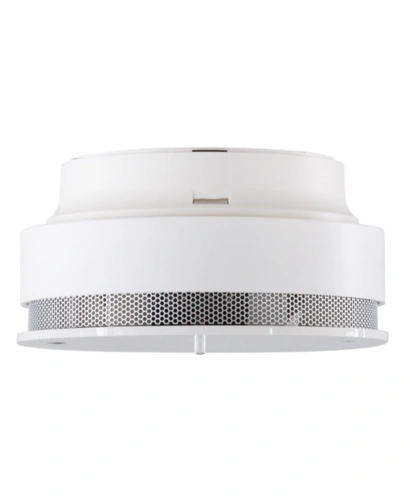
Smoke Detector Air
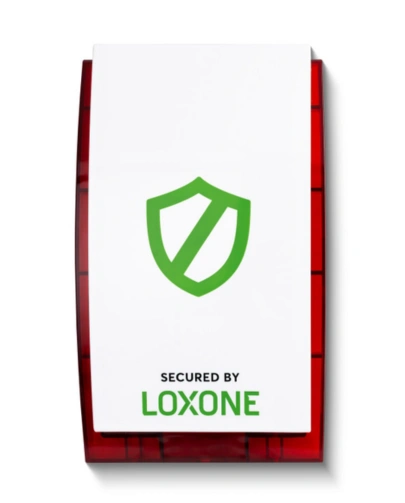
Alarm Siren Air
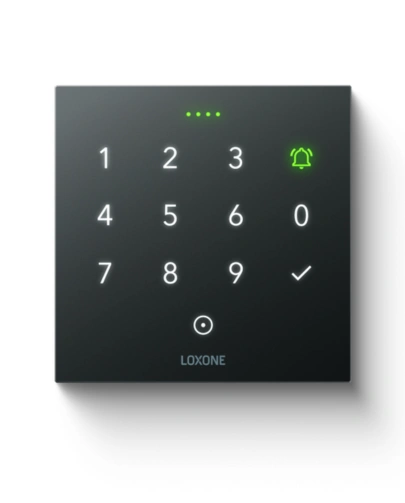
NFC Code Touch Tree Anthracite
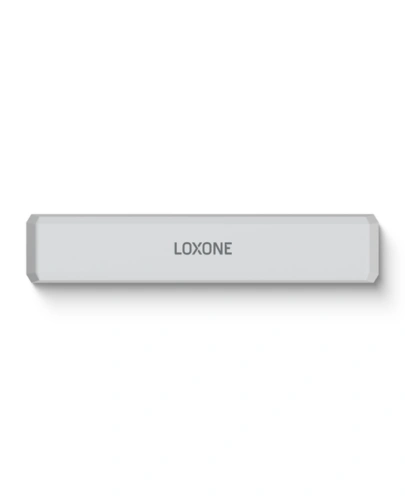
Door & Window Contact Air White
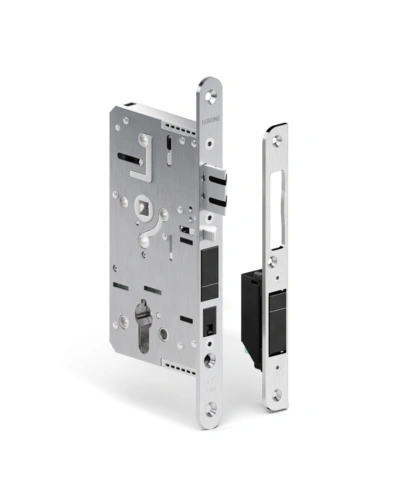
Door Lock Air Inductive
Compatibility
Security that works with your existing systems.
Commercial premises may already have detectors, contacts, cameras or a certified alarm installation.
Depending on the equipment and available interfaces, Loxone can integrate selected security information or coordinate wider building responses when the existing system triggers an alarm. Certified systems can remain responsible for their required security functions while Loxone manages supported automation around them.
DY-Techniek reviews the existing installation, operational requirements and any insurer or regulatory conditions before defining the integration approach.
Intelligent Workspaces
Climate Control

Energy Optimisation
Access Control

Commercial Lighting

Office Automation
Protection that keeps your workplace connected.
Intelligent security, designed
around your business.
Monitor important areas, coordinate a clearer response and keep authorised people informed when something needs attention. Bring security sensors and compatible building functions together around your operating hours and procedures.