
A productive workplace is not just about desks, technology and meeting rooms. It is also about creating an environment that responds to the people using it.
Throughout the working day, spaces are constantly changing. Meeting rooms fill up and become empty, teams move between departments, employees work remotely, and certain areas may remain unused for hours.
When a building cannot respond to these changes, energy and resources can be wasted, while employees may spend unnecessary time adjusting their surroundings.
Occupancy-based automation helps buildings respond to how spaces are actually being used.
By combining occupancy sensors, lighting, climate control, shading and building management systems, workplaces can become more comfortable, efficient and easier to manage.
In this article, we explore how occupancy-based automation can improve workflow — from reducing unnecessary interruptions to creating workspaces that support the way people work.
Lighting That Responds to Occupancy
Lighting plays an important role in how people experience a workspace.
Too little light can make tasks more difficult, while excessive brightness or glare can become distracting. At the same time, lights may be left on in rooms that are no longer being used.
Occupancy-based lighting allows a building to respond to activity within each space.
When someone enters a room, the lighting can switch on or adjust to the appropriate level. When the room becomes unoccupied, the lights can dim or switch off after a suitable delay.
How it works
Occupancy-based lighting can combine:
- Presence and motion sensors
- Natural daylight levels
- Time of day
- Room-specific lighting settings
- Manual controls
- The Loxone App or building control system
Different spaces can have different lighting behaviours. A circulation area may only need lighting when someone is moving through it, while an open-plan workspace may require a more consistent light level during working hours.
How it improves workflow
Responsive lighting can:
- Reduce the need to operate switches manually
- Minimise distractions caused by unsuitable lighting
- Prevent lights from being left on unnecessarily
- Improve comfort in shared spaces
- Support a more consistent working environment
The objective is not simply to make lights switch on automatically. It is to create lighting that supports the task, the space and the people using it.
When lighting responds naturally, employees can focus more on their work and less on managing the room.
Climate Control Based on Actual Use
A workplace can feel uncomfortable when the temperature does not match the number of people using the space.
A meeting room may become warm when several people are present. An office may remain heated or cooled even after everyone has left. Different teams may also have different comfort preferences depending on the work they are doing.
Occupancy-based climate control helps the building respond to these changes.
Instead of treating every room in the same way, the system can use occupancy information to adjust heating, cooling and ventilation according to actual demand.
How it works
A climate automation system may combine:
- Room temperature sensors
- Occupancy information
- Heating and cooling controls
- Ventilation systems
- Window and door contacts
- Time-based schedules
- The Loxone App
For example, a meeting room can be prepared before a scheduled meeting, while an unused room can move into an energy-saving mode. When people return, the room can adjust towards its preferred comfort level.
How it improves workflow
Responsive climate control can:
- Improve comfort during meetings and focused work
- Reduce complaints about rooms being too hot or too cold
- Avoid heating or cooling empty spaces
- Support more efficient use of energy
- Reduce the need for constant thermostat adjustments
Comfort should not become another task employees need to manage throughout the day.
A workplace performs better when the environment supports the people inside it.
Meeting Rooms That Work More Efficiently
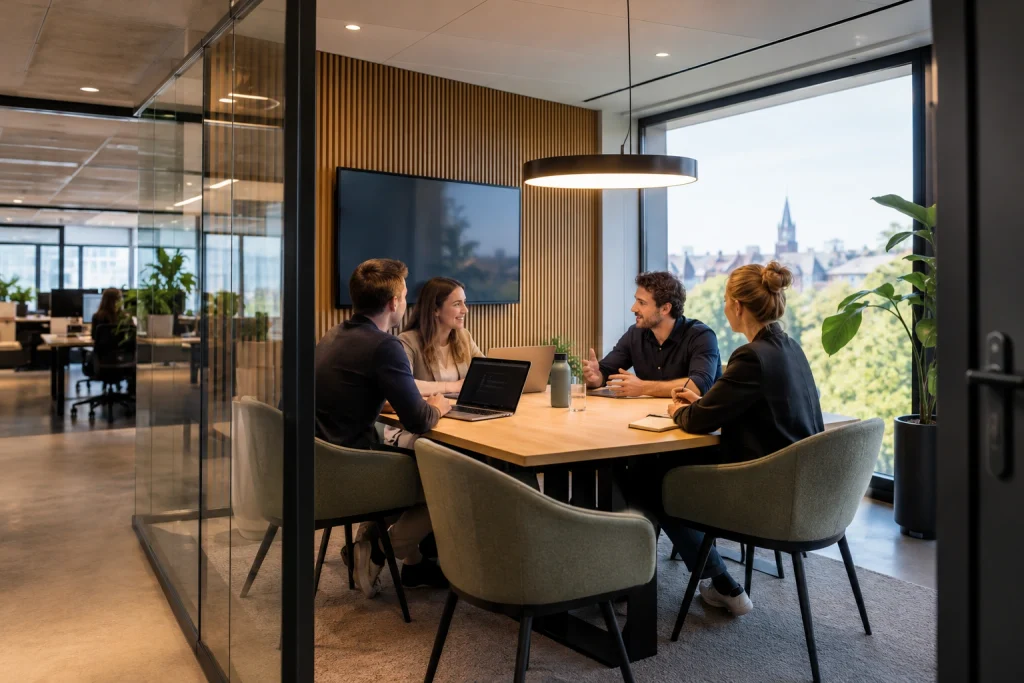
Meeting rooms are often some of the most heavily shared spaces in a workplace.
They may be booked for an hour but used for only part of that time. Other rooms may remain reserved even when the meeting is cancelled or the people attending are working remotely.
Occupancy-based automation can help organisations understand how meeting spaces are actually being used.
By combining room occupancy information with booking systems or building controls, businesses can make better use of their available space.
How it works
Depending on the systems involved, meeting-room automation can support:
- Occupancy detection
- Room status indicators
- Lighting and climate control
- Meeting-room availability information
- Automated room reset after use
- Integration with booking or scheduling platforms
For example, lighting and climate control can activate when a meeting begins and return to an energy-saving mode when the room is empty.
Where integrated booking systems are available, occupancy information may also help identify rooms that are reserved but not being used.
How it improves workflow
Smarter meeting-room management can:
- Reduce wasted room bookings
- Make available spaces easier to identify
- Improve the experience of shared facilities
- Reduce unnecessary heating, cooling and lighting
- Help facilities teams understand space usage
This can be particularly valuable in offices with limited meeting rooms or flexible working arrangements.
A meeting room should support collaboration when it is needed — and avoid becoming wasted space when it is not.
Reducing Energy Use in Unoccupied Spaces
One of the clearest benefits of occupancy-based automation is the ability to reduce energy use in spaces that are not being used.
Many buildings operate according to fixed schedules. Lights, heating, cooling and ventilation may continue running whether a room is occupied or empty.
This can be inefficient, especially in buildings with flexible working hours, hybrid teams or rooms that are only used occasionally.
Occupancy-based automation allows systems to respond more dynamically.
How it works
When a space becomes unoccupied, the building may be configured to:
- Switch off or dim lighting
- Reduce heating or cooling
- Adjust ventilation
- Close selected shading
- Put equipment into an energy-saving mode
- Report unusual or prolonged occupancy patterns
The system can also use time delays and minimum operating periods to prevent unnecessary switching and maintain comfort.
How it improves workflow
Smarter energy management can:
- Reduce operating costs
- Support more responsible energy use
- Prevent systems running unnecessarily
- Reduce the workload for facilities teams
- Provide better insight into building performance
Occupancy data can also help identify areas that are consistently underused. This information may support future decisions about space planning, working arrangements or building improvements.
The most efficient workspace is not one that uses the least energy at all times. It is one that uses energy when and where it is needed.
Supporting Focus and Collaboration
Different types of work require different environments.
Focused work may benefit from a quieter space with consistent lighting and comfortable temperatures. Collaboration may require brighter lighting, a different room layout or a more active environment.
Occupancy-based automation can help spaces respond to these different patterns of use.
The same office does not need to behave identically throughout the day.
How it works
Automation can support different work modes through:
- Occupancy information
- Room-specific scenes
- Lighting presets
- Climate settings
- Shading adjustments
- Audio or presentation controls
- Manual selection through the Loxone App or wall controls
For example, a collaboration room can activate a suitable lighting scene when a team enters. A quiet workspace can maintain a more consistent environment, while a presentation room can prepare lighting and shading for a screen-based session.
How it improves workflow
Responsive environments can:
- Make spaces easier to use
- Reduce interruptions caused by manual adjustments
- Support different working styles
- Create more consistent meeting experiences
- Help employees move between tasks more smoothly
The aim is not to automate every decision. It is to make the environment easier to adapt when the needs of the people change.
A flexible workplace gives people the right conditions for the work they need to do.
Improving Room Availability and Scheduling
In a busy workplace, finding the right room at the right time can become a daily frustration.
Employees may walk around looking for an available meeting room, arrive at a booked space that is not being used, or discover that a room is unsuitable for the size of their group.
Occupancy-based information can help make room usage more visible.
When connected with suitable scheduling or room-booking systems, occupancy data can provide a clearer picture of what is happening across the workplace.
How it works
A connected room-management approach may include:
- Occupancy sensors
- Room status displays
- Booking system integration
- Room availability information
- Automated lighting and climate settings
- Usage reports for facilities teams
The exact functionality depends on the systems being integrated. In some workplaces, occupancy information may simply show whether a room is in use. In others, it may contribute to more advanced room-management processes.
How it improves workflow
Better room visibility can:
- Reduce time spent searching for space
- Make meeting planning easier
- Improve the use of shared facilities
- Highlight rooms that are frequently underused
- Support more informed workplace planning
This is especially useful for organisations using hybrid working models, where occupancy can change significantly from one day to the next.
When employees can find and use the right space more easily, less time is lost to administration.
A More Responsive Workplace
Occupancy-based automation is not only about switching lights off or adjusting the temperature.
Its greater value comes from helping different building systems work together around the people using the space.
Lighting, climate, shading, room availability and energy management can all respond to changes in occupancy. This creates a workplace that is more adaptable and easier to manage.
How it works
A coordinated system can combine:
- Occupancy and presence sensors
- Lighting automation
- Climate control
- Shading
- Access and security systems
- Energy monitoring
- Building management functions
- The Loxone App
For example, when a team enters a meeting room, the lights can adjust, the temperature can respond, the blinds can manage glare and the room can become ready for collaboration.
When the team leaves, the room can return to an appropriate standby or energy-saving mode.
The result is not one isolated automation, but a connected sequence of actions that supports the entire working environment.
How it improves workflow
A responsive workplace can help provide:
- More comfortable working conditions
- Less time spent adjusting building systems
- Better use of shared spaces
- Reduced energy waste
- More useful information for facilities teams
- A smoother experience for employees and visitors
The best automation is often the automation people barely notice. It works quietly in the background, removing unnecessary friction from the working day.
A building should adapt to the way people work — not force people to adapt to the building.
Better Workflows Start with Better Spaces
A productive workplace depends on more than processes and technology. It also depends on the environment in which people work.
When lighting, climate, meeting rooms and energy systems respond to occupancy, employees can spend less time managing their surroundings and more time focusing on meaningful work.
Occupancy-based automation can help organisations:
- Improve everyday comfort
- Reduce unnecessary energy use
- Make better use of shared spaces
- Support focused work and collaboration
- Reduce manual tasks for facilities teams
- Create a more adaptable workplace
The most effective solution will depend on the building, the people using it and the way the organisation operates.
With the right combination of sensors, controls and integrated systems, DY Techniek can help create intelligent workspaces that respond to real activity — supporting better workflow without adding unnecessary complexity.
Smarter spaces. Smoother workflows. Better working environments.